
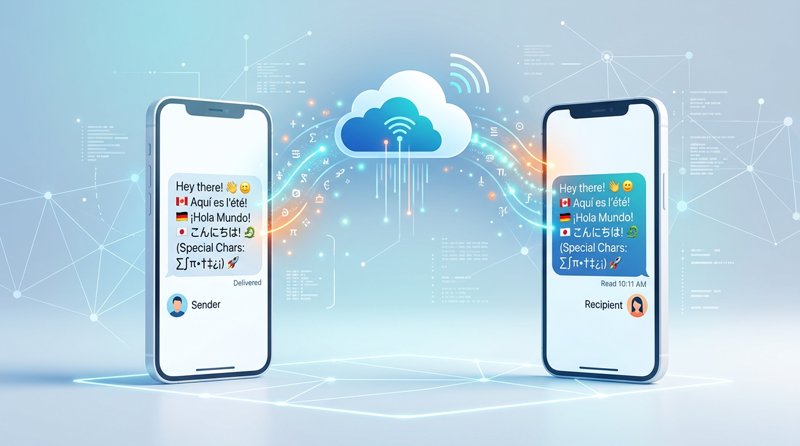
Sending SMS messages seems straightforward, but when you introduce special characters, the landscape changes. Understanding the inherent special characters in SMS messages limitations is crucial for businesses and developers aiming for effective, global communication without unexpected costs or garbled texts. This guide will demystify SMS encoding, character limits, and how to send any character reliably.
Understanding SMS Character Encoding: GSM 7-bit vs. UCS-2
At the heart of special character limitations in SMS lies the encoding standard. Mobile networks primarily use two main encoding schemes: GSM 7-bit and UCS-2 (Unicode).
The GSM 7-bit Alphabet
The GSM 7-bit alphabet is the default encoding for SMS messages, designed for efficiency and minimal data usage. It includes most common Latin characters (A-Z, a-z), numbers (0-9), and a limited set of symbols and punctuation. A standard GSM 7-bit SMS message can contain up to 160 characters per segment.
There's also an extended GSM 7-bit character set, which includes a few additional symbols like the euro sign (€), square brackets ([]), and curly braces ({}), but these require an 'escape character,' effectively consuming two characters from the 160-character limit for each extended character used.
The UCS-2 (Unicode) Alphabet
When an SMS message contains characters not present in the GSM 7-bit alphabet – such as emojis, characters from non-Latin scripts (e.g., Arabic, Chinese, Cyrillic), or a wider range of special symbols – the message automatically switches to UCS-2 (Unicode) encoding. While UCS-2 supports a vast array of global characters, it's significantly less efficient for SMS.
A single UCS-2 character requires more data than a GSM 7-bit character, meaning a standard UCS-2 SMS message can only contain up to 70 characters per segment. This reduction in character count per segment has direct implications for message length and cost.
The Impact on SMS Message Length: A Quick Comparison
The choice of encoding directly dictates how many characters you can send in a single SMS segment before it becomes a 'concatenated' message (split into multiple segments). Here's a quick overview:
| Encoding Type | Characters Per Single SMS Segment | Characters Per Concatenated SMS Segment | Supported Characters |
|---|---|---|---|
| GSM 7-bit | 160 | 153 | Basic Latin, numbers, common symbols, some extended characters |
| UCS-2 (Unicode) | 70 | 67 | All global characters, emojis, language-specific scripts |
Note that for concatenated messages (those longer than a single segment), a few characters are reserved for 'segment headers' which allow the receiving phone to reassemble the message correctly. This is why the per-segment character limit drops slightly for multi-part messages.
Common Special Character Limitations in SMS Messages
Understanding which characters trigger UCS-2 encoding is key to managing your SMS campaigns effectively and avoiding unexpected costs due to special characters in SMS messages limitations.
Basic Latin Characters and Extensions
Characters like !"#$%&'()*+,-./0123456789:;<=>?@ABCDEFGHIJKLMNOPQRSTUVWXYZ[\]^_`abcdefghijklmnopqrstuvwxyz{|}~€ are generally safe within the GSM 7-bit alphabet, though some (like ^ { } [ ] ~ \ | €) are part of the extended set and count as two characters each.
Accented characters commonly found in European languages (e.g., é, à, ü, ç) are often the first culprits to push a message into UCS-2 encoding if they are not specifically mapped within the GSM 7-bit extended character set or if the SMS gateway doesn't handle them efficiently.
Emojis and Symbols
Any emoji (😊, 👍, 🎉) will immediately switch your entire SMS message to UCS-2 encoding. The same applies to many less common symbols (e.g., mathematical symbols, certain currency symbols not in GSM 7-bit, specific typographical marks).
While emojis can significantly boost engagement, their use requires a conscious decision about the resulting message length and cost.
Language-Specific Characters (e.g., Arabic, Chinese, Cyrillic)
For global communication, characters from non-Latin scripts are inherently outside the GSM 7-bit alphabet. Sending messages in languages like Arabic, Chinese, Japanese, Korean, Russian, or Greek will always result in UCS-2 encoding. This is a necessary limitation for multilingual support but directly impacts the character count per segment.
How Special Characters Affect SMS Message Length and Cost
The most significant impact of special characters is on the effective length and, consequently, the cost of your SMS messages. This is a critical consideration for businesses, especially those managing budget-conscious campaigns or operating at scale.
The 160 vs. 70 Character Rule
As established, a single special character can reduce your effective message length from 160 characters (GSM 7-bit) to 70 characters (UCS-2) per segment. This means a message that would have been one segment in plain English might become two or even three segments simply by adding an emoji or an accented letter.
Concatenated SMS and Message Segmentation
When your message exceeds the character limit for a single SMS segment (160 for GSM 7-bit, 70 for UCS-2), it's automatically split into multiple segments, known as concatenated SMS. Each segment is sent and billed individually. This means a 100-character message with an emoji (UCS-2) would be split into two segments (70 + 30 characters), effectively costing you double what a 100-character plain text message would (GSM 7-bit, one segment).
Cost Implications for Businesses
For businesses, understanding these encoding rules is vital for budgeting. A seemingly small detail like an emoji can double or triple the cost of a marketing campaign or OTP message. Traditional SMS providers often charge per segment, and their per-SMS rates can range from $0.05 to $0.08, plus various other fees.
With MySMSGate, the pricing model is transparent: you pay $0.03/SMS for any message, regardless of encoding. This simplifies cost calculation and ensures you won't be surprised by hidden fees due to character choices. Our system intelligently handles the encoding, ensuring your message is delivered correctly while maintaining a clear pricing structure. You can learn more about cost-effective solutions in our guide on the cheapest SMS API for small businesses.
Best Practices for Handling Special Characters in Your SMS Campaigns
Navigating the complexities of special characters in SMS messages limitations requires a strategic approach. Here are some best practices to ensure your messages are delivered correctly and cost-effectively:
Prioritize GSM 7-bit for Cost-Efficiency
Whenever possible, stick to the GSM 7-bit character set for your SMS messages, especially for high-volume campaigns like OTPs, alerts, or basic notifications. This ensures maximum characters per segment and minimizes costs. Many SMS platforms offer character counters that indicate the current encoding and segment count.
Test Your Messages
Before launching a large-scale campaign, always send test messages to various mobile devices and carriers. This helps you identify any encoding issues, garbled characters, or unexpected message segmentation that might occur with special characters. What looks fine on your computer might not display correctly on an older phone model or a specific network.
Leverage a Smart SMS Gateway
A robust SMS gateway like MySMSGate automatically handles character encoding for you. This means you don't have to manually convert characters or worry about which encoding standard to use. The system intelligently detects the characters in your message and applies the appropriate encoding (GSM 7-bit or UCS-2) to ensure delivery.
MySMSGate allows you to send SMS from your Android phone via API, leveraging your own SIM cards, which provides flexibility in character support and often sidesteps carrier-specific filtering issues that might affect character display.
MySMSGate: Sending SMS with Any Character, Affordably
MySMSGate is designed to abstract away the complexities of SMS encoding and character limitations, providing a reliable and cost-effective solution for businesses and developers. By turning your Android phone into a powerful SMS gateway, we offer unparalleled flexibility.
Seamless Handling of All Character Sets
Whether you're sending a simple appointment reminder or a multilingual marketing message with emojis, MySMSGate intelligently processes your content. Our system automatically detects the required encoding (GSM 7-bit or UCS-2) and ensures your message is delivered as intended, without you needing to worry about the underlying technical details.
This means you can confidently send messages containing accents, emojis, or characters from any global language, knowing they will arrive correctly on the recipient's phone.
Transparent Pricing for Every Message
Unlike many competitors that charge more for UCS-2 messages or have complex fee structures, MySMSGate offers a straightforward pricing model: $0.03 per SMS. This rate applies whether your message uses GSM 7-bit or UCS-2 encoding, simplifying your budgeting and eliminating hidden costs associated with special characters. With packages like 100 SMS for $3 or 1000 SMS for $20, you get clear value without monthly fees or contracts.
Developer-Friendly API and Web Dashboard
For developers, our simple REST API allows you to integrate SMS sending capabilities into your applications with ease, regardless of the characters you need to send. We provide code examples for Python, Node.js, PHP, Go, and Ruby. Non-technical users can leverage our intuitive web dashboard, including 'Web Conversations,' to send and receive SMS from their browser, managing all character types effortlessly.
Furthermore, MySMSGate's unique approach means you use your own SIM cards, bypassing many common issues like 10DLC registration and carrier approvals that complicate sending messages with diverse character sets through traditional providers.
Frequently Asked Questions
Here are some common questions regarding special characters in SMS messages and their limitations.
What is the maximum length of an SMS message with special characters?
If your SMS message contains any character outside the standard GSM 7-bit alphabet (e.g., emojis, accented letters not in the extended set, non-Latin script characters), it will be encoded using UCS-2 (Unicode). This limits a single SMS segment to 70 characters. If your message exceeds 70 characters, it will be split into multiple segments, with each subsequent segment also limited to 67 characters.
Do emojis count as special characters in SMS?
Yes, all emojis count as special characters in SMS and force the entire message to be encoded using UCS-2 (Unicode). This means that even if you include just one emoji, your message's character limit per segment will drop from 160 (GSM 7-bit) to 70 characters, potentially increasing the cost of your message as it will be split into more segments.
How can I ensure my SMS messages display correctly across all phones?
To ensure correct display, it's best to use a reliable SMS gateway that handles encoding automatically, like MySMSGate. Always test your messages on various devices and operating systems before sending large volumes. While modern smartphones generally handle UCS-2 well, older phones might have limited support for certain characters or emojis.
Does MySMSGate charge more for messages with special characters?
No, MySMSGate maintains a transparent and flat pricing model. You pay $0.03 per SMS message, regardless of whether it uses GSM 7-bit or UCS-2 encoding (i.e., whether it contains special characters or emojis). The only factor affecting cost is the number of SMS segments your message requires, which is determined by its total length and encoding, but the per-segment rate remains constant.
What is the difference between GSM 7-bit and UCS-2 encoding?
GSM 7-bit is a highly efficient encoding standard for SMS, supporting basic Latin characters, numbers, and common symbols, with a limit of 160 characters per segment. UCS-2 (Unicode) is a broader encoding that supports almost all global characters, including emojis and non-Latin scripts, but is less efficient for SMS, limiting messages to 70 characters per segment. Messages with any non-GSM 7-bit character automatically switch to UCS-2.


Comments (0)
Be the first to comment!