
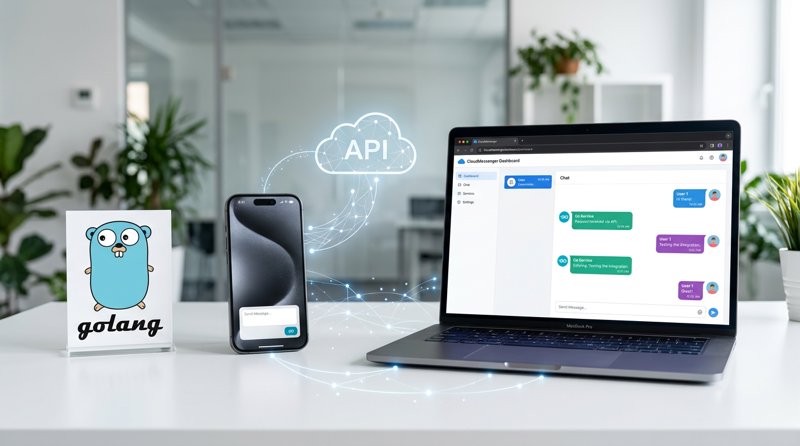
In today's fast-paced digital landscape, integrating SMS functionality into your applications is crucial for notifications, verifications, and customer engagement. If you're a Go developer looking for a reliable, cost-effective, and easy-to-implement go send SMS API solution, you've come to the right place. This comprehensive tutorial will guide you through setting up MySMSGate and sending SMS programmatically using Go, leveraging your own Android phones for unparalleled flexibility and affordability. It's the ultimate guide to implementing a robust Go SMS API solution.
MySMSGate transforms your Android device into a powerful SMS gateway, allowing you to send and receive messages via a simple REST API or a user-friendly web dashboard. Forget complex carrier approvals or expensive per-message fees; MySMSGate offers a direct and efficient way to manage your SMS communications, making it ideal for those seeking a straightforward go send SMS API.
Step 1: Why MySMSGate is Your Ideal Go Send SMS API Solution
Before diving into the code, let's understand why MySMSGate stands out as an excellent choice for developers needing a go send SMS API. Unlike traditional SMS providers that charge high fees and often require lengthy registration processes like 10DLC in the US, MySMSGate utilizes your existing Android phone and its SIM card(s).
This unique approach offers several compelling advantages. MySMSGate stands out as an excellent choice for developers needing a go send SMS API. Its direct approach simplifies how you send SMS programmatically, making it a powerful Go SMS API option.
| Feature | MySMSGate | Traditional SMS Providers (e.g., Twilio) |
|---|---|---|
| Per SMS Cost | From $0.02 (e.g., 1000 SMS for $20) | From $0.05-$0.08 + fees (e.g., number rental, 10DLC) |
| Monthly Fees/Contracts | None | Often required |
| 10DLC/Carrier Approval | Not required (uses your own SIM) | Required for A2P messaging in US/Canada |
| Setup Time | Minutes (QR code scan) | Hours to days (approvals, number provisioning) |
| Sending Method | Your Android phone's SIM | Pooled/shared short codes, long codes |
| Refunds for Failed SMS | Automatic balance refund | Rarely offered |
| Go SMS API Complexity | Simple REST API (1 endpoint) | More extensive APIs for various services |
MySMSGate is not just an API; it's a complete, flexible SMS solution that scales with your needs without breaking the bank. It's an excellent Twilio alternative, especially for those prioritizing cost-efficiency and simplicity. Its simple REST API makes it incredibly easy for Go developers to integrate and send SMS programmatically, making it a powerful Go SMS API option. For a detailed comparison, check out our guide on Cheapest SMS API for Small Business.
Step 2: Create Your MySMSGate Account and Connect Your Android Phone
Getting started with MySMSGate is quick and easy. This step outlines the initial setup required before you can start using the go send SMS API.
- Create Your Account: Navigate to the MySMSGate registration page and sign up for a free account. You'll receive your unique API key, which is essential for authenticating your requests.
- Install the Android App: Download the MySMSGate Android application from the Google Play Store onto the phone(s) you wish to use as your SMS gateway.
- Connect Your Phone: Open the MySMSGate web dashboard and locate the QR code for device connection. In the Android app, scan this QR code. Your phone will instantly connect to your MySMSGate account, ready to send and receive messages. No complicated configurations or IP addresses needed!
Once connected, your Android phone acts as the bridge between your Go application and the mobile network, sending messages through its SIM card.
Step 3: Understanding the MySMSGate REST API for Sending SMS
The MySMSGate REST API is designed for simplicity. For sending SMS, you'll primarily interact with a single endpoint, perfect for your go send SMS API calls and generally for anyone looking to send SMS via REST API. Understanding this endpoint is key to building a successful Go SMS API integration.
The Core Send Endpoint
To send an SMS, you'll make a POST request to the following endpoint:
POST https://mysmsgate.net/api/v1/sendThe request body should be a JSON object containing the message details, which your Go application will construct to effectively use the go send SMS API:
api_key(string, required): Your unique MySMSGate API key.to(string, required): The recipient's phone number, including the country code (e.g., "+15551234567").message(string, required): The text content of your SMS message.device_id(integer, optional): The ID of the specific Android device to send from. If omitted, MySMSGate will use the default or first available device.sim_slot(integer, optional): The SIM card slot (0 or 1) on the chosen device. If omitted, the default SIM will be used.
Authentication
Authentication is handled by including your api_key directly in the JSON request body. This keeps the API calls simple and straightforward.
Step 4: Implement Go Send SMS API Functionality
Now, let's write the Go code to implement the go send SMS API functionality with MySMSGate. This example demonstrates how to construct the JSON payload and make the HTTP POST request to send SMS programmatically using the MySMSGate go send SMS API.
Setting Up Your Go Environment
Ensure you have Go installed on your system. No external libraries are strictly required for this basic example, as Go's standard library provides robust HTTP client capabilities.
Go Code Example: Sending a Basic SMS
package main

import (
	"bytes"
	"encoding/json"
	"fmt"
	"io/ioutil"
	"net/http"
)

func main() {
	// Replace with your actual API Key from MySMSGate dashboard
	apiKey := "YOUR_MY_SMS_GATE_API_KEY"
	// Replace with the recipient's phone number (e.g., "+12345678900")
	recipientNumber := "+15551234567"
	// Your message content
	smsMessage := "Hello from MySMSGate via Go!"

	// Optional: Specify device_id and sim_slot if you have multiple devices/SIMs
	// deviceID := 12345
	// simSlot := 0 // 0 for SIM 1, 1 for SIM 2

	requestBody := map[string]interface{}{
		"api_key": apiKey,
		"to":      recipientNumber,
		"message": smsMessage,
		// "device_id": deviceID, // Uncomment and set if needed
		// "sim_slot":  simSlot,   // Uncomment and set if needed
	}

	jsonBody, err := json.Marshal(requestBody)
	if err != nil {
		fmt.Printf("Error marshaling JSON: %v\n", err)
		return
	}

	resp, err := http.Post("https://mysmsgate.net/api/v1/send", "application/json", bytes.NewBuffer(jsonBody))
	if err != nil {
		fmt.Printf("Error sending request: %v\n", err)
		return
	}
	defer resp.Body.Close()

	body, err := ioutil.ReadAll(resp.Body)
	if err != nil {
		fmt.Printf("Error reading response body: %v\n", err)
		return	}

	if resp.StatusCode == http.StatusOK {
		fmt.Println("SMS sent successfully!")
		fmt.Printf("Response: %s\n", body)
	} else {
		fmt.Printf("Failed to send SMS. Status: %s\n", resp.Status)
		fmt.Printf("Response: %s\n", body)
	}
}
Remember to replace YOUR_MY_SMS_GATE_API_KEY and +15551234567 with your actual API key and the desired recipient number. This code snippet provides a complete, runnable example for your go send SMS API integration.
Step 5: Handling Delivery Status and Advanced Features
Sending an SMS is just one part of the equation; knowing its delivery status is equally important for many applications, such as appointment reminders or OTP verifications.
Real-time Delivery Updates
MySMSGate provides real-time delivery status updates. You can track the status of your sent messages directly from the web dashboard. For programmatic tracking, MySMSGate supports webhooks. You can configure a webhook URL in your dashboard, and MySMSGate will send a POST request to your URL with delivery status updates as they occur. This allows you to update your application's database or trigger subsequent actions based on whether a message was delivered, failed, or is still pending.
Additionally, if an SMS fails to deliver for any reason (e.g., invalid number, network issue), your MySMSGate balance is automatically refunded, ensuring you only pay for successful messages.
Step 6: Expanding Your SMS Capabilities Beyond Go
While this tutorial focuses on the go send SMS API, MySMSGate offers extensive flexibility for various programming languages and even no-code environments. This means your Go SMS API integration can be part of a broader communication strategy.
Other Programming Languages
MySMSGate provides comprehensive documentation and code examples for popular languages beyond Go, including:
- Python: Easily implement a python send SMS API solution for scripting and data-driven applications.
- Node.js: Integrate SMS into your JavaScript-based backend services, similar to how you would with the go send SMS API.
- PHP: Perfect for web applications built with PHP, offering a straightforward php send SMS API.
- Ruby: For Ruby on Rails or other Ruby projects.
You can find detailed guides and code snippets for these and more in our integration guides.
No-Code Integrations: Zapier, Make.com, n8n
For non-developers or for automating workflows without writing code, MySMSGate seamlessly integrates with leading automation platforms:
- Zapier: Connect MySMSGate to thousands of apps to automate tasks like sending SMS notifications from new spreadsheet rows or CRM updates.
- Make.com: Build complex multi-step scenarios, including using a Make.com custom webhook to send SMS. You can configure a webhook module in Make.com to send a POST request to MySMSGate's API endpoint with your message data.
- n8n: An open-source alternative for powerful workflow automation.
These integrations allow anyone to send SMS programmatically or via automated triggers, making MySMSGate a versatile tool for various business needs.
Step 7: Optimizing Your SMS Strategy with MySMSGate
Beyond the basic API integration, MySMSGate offers features that can significantly enhance your SMS strategy and cost-efficiency.
- Multi-Device Management: Connect unlimited Android phones to a single MySMSGate account. This is ideal for multi-branch businesses or for scaling your SMS volume across different numbers and carriers. You can choose which device and SIM slot to send from for each message.
- Dual SIM Support: Maximize the utility of each connected phone by using both SIM cards. This allows you to have two distinct sending numbers per device, increasing flexibility and potentially reducing costs if you have different carrier plans.
- Web Conversations: For customer support or direct engagement, use the web dashboard's chat-like interface to send and receive SMS from your computer, making it easy for your team to manage communications without touching a phone.
- Cost Control: With MySMSGate's pay-as-you-go model and transparent pricing, you always know what you're spending. The auto-refund for failed SMS ensures you're never charged for undelivered messages.
By leveraging these features, you can build a robust, flexible, and highly cost-effective SMS communication system for your business or application.
Frequently Asked Questions
Here are answers to common questions about using MySMSGate for your SMS needs.
How much does it cost to send SMS with MySMSGate?
MySMSGate offers highly competitive pricing, starting as low as $0.03 per SMS, with packages like 100 SMS for $3, 500 SMS for $12, and 1000 SMS for $20. There are no monthly fees, no contracts, and you only pay for successfully delivered messages, as failed SMS are automatically refunded.
Do I need to register for 10DLC or carrier approval with MySMSGate?
No, one of MySMSGate's key advantages is that you do not need to register for 10DLC, short codes, or any carrier approval. Messages are sent directly from your own Android phone's SIM card, bypassing these complex and often costly requirements.
Can I use MySMSGate to send SMS from my computer without coding?
Absolutely! MySMSGate provides a full web dashboard with a 'Web Conversations' feature. This allows non-technical users to send and receive SMS from their computer using a chat-like interface, managing all communications from a central point.
What if an SMS fails to deliver using MySMSGate?
If an SMS fails to deliver for any reason (e.g., recipient number invalid, network issues, phone offline), your MySMSGate balance for that specific message is automatically refunded. You only pay for successful deliveries.
How does MySMSGate compare to Twilio for sending SMS?
MySMSGate offers significant cost savings (starting at $0.03/SMS vs. Twilio's $0.05-$0.08/SMS plus fees). MySMSGate also eliminates the need for 10DLC registration, making it simpler and faster to get started. While Twilio offers a vast array of communication services, MySMSGate focuses on providing a direct, affordable, and flexible SMS gateway solution via your own Android phones, ideal for small businesses and developers seeking efficiency and lower costs. For more details, see our article on Twilio Alternatives.


Comments (0)
Be the first to comment!