
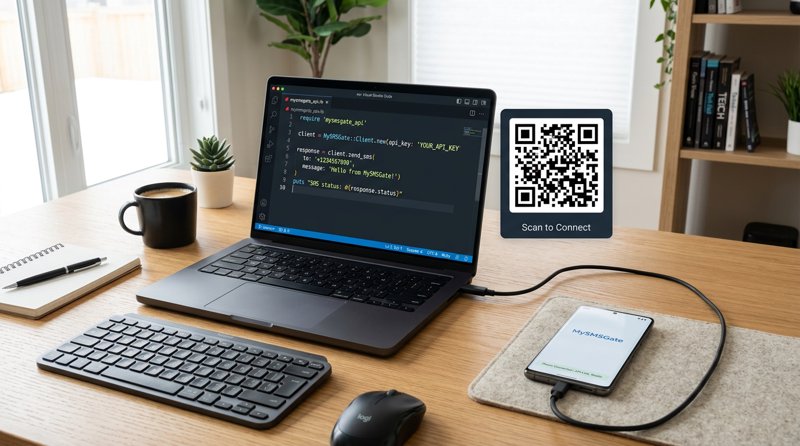
Integrating SMS capabilities into your Ruby applications is essential for features like OTP verification, appointment reminders, and marketing campaigns. This comprehensive tutorial will guide you through setting up and using the MySMSGate API to send SMS with Ruby, leveraging the power and cost-effectiveness of your own Android phone as an SMS gateway.
Step 1: Understanding SMS Gateways and Why Ruby Developers Choose MySMSGate
When you need to send messages programmatically, an SMS gateway acts as the bridge between your application and mobile networks. While many providers exist, MySMSGate offers a unique, cost-effective, and highly flexible solution by turning your existing Android phone into a powerful SMS sending device. For Ruby developers, this means seamless integration with a simple REST API and significant savings compared to traditional services.
Using Ruby for SMS integration provides a robust and elegant way to manage communication flows within your applications. MySMSGate's approach eliminates common hurdles like expensive per-message fees, monthly contracts, and the complex sender registration processes (like 10DLC in the US) often required by other providers. You simply use your own SIM card, giving you direct control and transparent pricing.
Step 2: Choosing Your SMS Gateway – MySMSGate vs. Traditional Providers
Before diving into the code, it's crucial to understand why MySMSGate stands out, especially for small businesses, startups, and indie developers focused on cost efficiency and simplicity. Let's compare MySMSGate with some common alternatives:
| Feature | MySMSGate | Twilio (Example) | SMSGateway.me (Example) |
|---|---|---|---|
| SMS Cost (per message) | $0.03 (packages available, e.g., 1000 SMS for $20) | $0.05 - $0.08 (plus potential carrier fees) | Monthly subscription ($9.99/month minimum) |
| Monthly Fees/Contracts | None | None (pay-as-you-go, but can have recurring numbers) | Required |
| Sender ID/Registration | Your own SIM card (no 10DLC, no carrier approval needed) | Requires 10DLC registration (US), sender ID approval | Often requires virtual numbers or registration |
| API Simplicity | Simple REST API (1 endpoint) | Comprehensive (can be complex for basic sends) | Varies by provider |
| Multi-device Support | Unlimited Android phones, manage from one dashboard | Separate phone numbers for each region/use case | Limited or additional cost per device |
| Dual SIM Support | Yes, choose SIM slot per message | N/A (uses virtual numbers) | N/A |
| Web Dashboard | Yes, for conversations and management | Yes | Yes |
| Failed SMS Refund | Automatic balance refund | Varies, often no refund | Varies |
MySMSGate offers a compelling advantage by leveraging your existing mobile infrastructure. This makes it an ideal cheapest SMS API for small businesses and developers looking for maximum control and minimal overhead.
Step 3: Create Your MySMSGate Account
To begin sending SMS with Ruby, the first step is to set up your MySMSGate account. The process is quick and straightforward:
- Visit the MySMSGate Website: Navigate to mysmsgate.net.
- Register for an Account: Click on the 'Get Started Free' or 'Register' button. You'll need to provide basic information like your email and create a password.
- Verify Your Email: Check your inbox for a verification email and click the link to activate your account.
- Access Your Dashboard: Once verified, you'll be redirected to your personal MySMSGate dashboard. Here, you'll find your unique API key and a QR code, both essential for connecting your Android device.
Ready to start? Create your free MySMSGate account now and get your API key in minutes.
Step 4: Connect Your Android Phone as an SMS Gateway
This is where MySMSGate's innovative approach comes into play. Your Android phone becomes the actual SMS sending device, using its own SIM card(s). No complex server setup required!
- Install the MySMSGate Android App: On your Android phone, search for "MySMSGate" in the Google Play Store and install the official application.
- Scan the QR Code: Open the MySMSGate app on your phone. It will prompt you to scan a QR code. Go back to your MySMSGate web dashboard, locate the QR code displayed there, and use your phone's camera to scan it.
- Automatic Connection: The app will instantly connect to your MySMSGate account. You'll see your phone listed as an active device in your web dashboard. The phone will stay connected even in sleep mode thanks to push notifications, ensuring reliable SMS delivery.
- Grant Permissions: The app will request necessary permissions (like sending and receiving SMS, access to contacts). Grant these permissions for the app to function correctly.
Your Android phone is now ready to act as a powerful and personal SMS gateway, sending and receiving messages on behalf of your Ruby application.
Step 5: Prepare Your Ruby Environment – Installing Required Gems
To interact with the MySMSGate REST API from your Ruby application, you'll need to make HTTP requests. Ruby's standard library includes Net::HTTP for this purpose, but many developers prefer using a more user-friendly HTTP client library like HTTParty or Faraday.
For this tutorial, we'll use HTTParty for its simplicity and readability. If you don't have it installed, open your terminal or command prompt and run:
gem install httpartyIf you prefer to stick with the standard library, Net::HTTP is also a perfectly valid choice, though the code will be slightly more verbose.
Step 6: Send Your First SMS with Ruby and MySMSGate API
Now for the exciting part: sending an SMS! The MySMSGate API is incredibly simple, requiring just one POST endpoint to send messages. You'll need your API key and the ID of the connected Android device you wish to send from.
Here's a Ruby code example using HTTParty:
require 'httparty'

class MySMSGateSender
  include HTTParty
  base_uri 'https://mysmsgate.net/api/v1'

  def initialize(api_key)
    @api_key = api_key
  end

  def send_sms(device_id, to_number, message_text, options = {})
    headers = {
      'Authorization' => "Bearer #{@api_key}",
      'Content-Type' => 'application/json'
    }

    body = {
      'device_id' => device_id,
      'number' => to_number,
      'message' => message_text
    }.merge(options)

    response = self.class.post('/send', headers: headers, body: body.to_json)

    if response.success?
      puts "SMS sent successfully! Response: #{response.parsed_response}"
      response.parsed_response
    else
      puts "Failed to send SMS. Status: #{response.code}, Body: #{response.body}"
      nil
    end
  end
end

# --- Configuration (Replace with your actual values) ---
YOUR_API_KEY = 'YOUR_MYSMSGATE_API_KEY_HERE'
YOUR_DEVICE_ID = 'YOUR_CONNECTED_DEVICE_ID_HERE' # Find this in your MySMSGate dashboard
TARGET_PHONE_NUMBER = '+1234567890' # E.g., '+15551234567'
SMS_MESSAGE = 'Hello from Ruby via MySMSGate!'

# --- Usage ---
sender = MySMSGateSender.new(YOUR_API_KEY)

# Basic send
sender.send_sms(YOUR_DEVICE_ID, TARGET_PHONE_NUMBER, SMS_MESSAGE)

# Send with optional parameters (e.g., specific SIM slot, callback URL)
# sender.send_sms(YOUR_DEVICE_ID, TARGET_PHONE_NUMBER, SMS_MESSAGE, {
#   'sim_slot' => 1, # 0 for SIM1, 1 for SIM2 (if dual SIM)
#   'callback_url' => 'https://your-app.com/sms-status-webhook'
# })
Explanation of the Ruby Code:
require 'httparty': Imports the HTTParty gem.MySMSGateSenderclass: Encapsulates the API interaction.base_uri: Sets the base URL for MySMSGate's API.initialize: Stores your MySMSGate API key.send_smsmethod:- Takes
device_id(from your dashboard),to_number(recipient),message_text, and optional parameters. - Sets the
Authorizationheader with your API key (prefixed with 'Bearer'). - Constructs the JSON request body with the required parameters.
- Sends a POST request to the
/sendendpoint. - Prints the response or an error message based on the HTTP status code.
- Takes
- Configuration: Remember to replace the placeholder values for
YOUR_API_KEY,YOUR_DEVICE_ID, andTARGET_PHONE_NUMBERwith your actual credentials and recipient.
You can find your device ID in your MySMSGate dashboard under the 'Devices' section. The API documentation provides more details on all available parameters, including sending to specific SIM slots if your Android phone supports dual SIM. For more examples and detailed API specifications, refer to the official MySMSGate API documentation.
Step 7: Handling Delivery Reports and Incoming SMS with Ruby
Knowing whether your message was delivered and responding to incoming SMS are critical for robust applications. MySMSGate provides real-time delivery tracking and forwards all incoming messages to your dashboard.
Delivery Tracking via Webhooks
MySMSGate allows you to receive real-time delivery status updates via webhooks. When sending an SMS, you can include a callback_url parameter in your API request. MySMSGate will then send a POST request to this URL with the delivery status (e.g., 'sent', 'delivered', 'failed').
# Example of sending with a callback_url
sender.send_sms(YOUR_DEVICE_ID, TARGET_PHONE_NUMBER, SMS_MESSAGE, {
  'callback_url' => 'https://your-ruby-app.com/sms-delivery-status'
})
On your Ruby application's side, you would set up an endpoint (e.g., using Sinatra or Ruby on Rails) to receive and process these incoming webhook requests. The payload will contain details about the message ID, status, and recipient.
Receiving Incoming SMS
All SMS messages received by your connected Android phone(s) are automatically forwarded to your MySMSGate web dashboard. From there, you can view them in real-time using the 'Web Conversations' feature, which offers a chat-like interface. For programmatic access to incoming messages, you can set up a webhook URL in your MySMSGate account settings. MySMSGate will then push all incoming messages to this URL, allowing your Ruby application to process them as needed.
Step 8: Exploring Advanced MySMSGate Features for Ruby Developers
MySMSGate offers several powerful features that can enhance your Ruby applications beyond basic SMS sending:
- Multi-device Management: Connect unlimited Android phones to a single MySMSGate account. This is perfect for businesses with multiple branches or developers managing different sender numbers. You can specify which
device_idto use for each SMS from your Ruby code. - Dual SIM Support: If your connected Android phone has dual SIM capabilities, you can specify which SIM slot (0 or 1) to send from directly in your API request. This adds flexibility for managing different numbers or tariffs.
- Web Conversations: For non-technical users or quick responses, the web dashboard provides a chat-like interface to send and receive SMS from your computer, all through your connected Android phones.
- Automated Refunds: If an SMS fails to send (e.g., invalid number, network issue), your MySMSGate balance is automatically refunded, ensuring you only pay for successfully delivered messages.
Step 9: Integrating MySMSGate with Ruby and Other Tools
The flexibility of MySMSGate's REST API extends beyond direct Ruby code. You can integrate your SMS workflows with various automation platforms, often without writing any additional Ruby code for the integration itself:
- Zapier: Connect MySMSGate to thousands of other apps. For example, trigger an SMS when a new row is added to a Google Sheet, or send an SMS when a new customer signs up in your CRM.
- Make.com (formerly Integromat): A powerful automation platform that allows for complex multi-step workflows. Use it to build intricate SMS automation scenarios, such as sending personalized messages based on database events or scheduling bulk SMS campaigns.
- n8n: An open-source workflow automation tool. For developers who prefer self-hosted solutions, n8n provides a highly customizable environment to integrate MySMSGate with virtually any service.
These integrations can significantly reduce development time and allow non-technical team members to manage SMS campaigns. Explore our integration guides for detailed instructions on connecting MySMSGate with these popular platforms.
Frequently Asked Questions (FAQ)
What is the cheapest way to send SMS with Ruby?
The cheapest way to send SMS with Ruby is often through a gateway that uses your own SIM card, like MySMSGate. By leveraging your existing phone plan's SMS rates, you can significantly reduce costs compared to traditional SMS APIs that charge higher per-message fees and often have additional carrier charges or monthly subscriptions. MySMSGate offers packages as low as $0.03/SMS with no monthly fees.
Do I need 10DLC registration to send SMS via Ruby API using MySMSGate?
No, you do not need 10DLC registration when sending SMS via Ruby API using MySMSGate. MySMSGate uses your connected Android phone's SIM card, which functions like a regular mobile phone sending messages. This bypasses the complex and costly 10DLC (A2P 10-Digit Long Code) registration process required by many traditional SMS providers for application-to-person messaging in the US.
Can I send SMS from multiple Ruby applications using one gateway?
Yes, you can absolutely send SMS from multiple Ruby applications using a single MySMSGate account and its connected devices. Each Ruby application would simply use your MySMSGate API key and specify the desired device_id in the API request. This allows for centralized management of your SMS sending infrastructure across various projects or services.
How can I track SMS delivery status in Ruby?
You can track SMS delivery status in Ruby by utilizing MySMSGate's webhook functionality. When you send an SMS, include a callback_url in your API request. MySMSGate will then send a POST request to this URL with real-time updates on the message status (e.g., sent, delivered, failed). Your Ruby application can have a dedicated endpoint to receive and process these webhook notifications.
What are the benefits of using an Android phone as an SMS gateway for Ruby?
Using an Android phone as an SMS gateway for your Ruby applications offers several key benefits: significantly lower costs (using your own SIM rates), no need for 10DLC or other complex sender registrations, full control over your sending numbers, dual SIM support for multiple numbers, and the ability to manage all devices from a single web dashboard. It's a highly flexible and cost-effective solution for developers and businesses.


Comments (0)
Be the first to comment!